Building My Homelab
A spare CPU and RAM became the start of a home server for storage, media, smart home experiments, and local development.
Towards the tail end of 2025, I decided to go all in on upgrading my PC and getting some dedicated storage. This was just after the “RAMpocalypse” had started and I had no intentions of waiting until I was priced out. A lucky result of this was now I had a full CPU and 32 GB of RAM just sitting around, so I decided to create a home server. I had three main goals with this setup:
- Create a service that’d allow me to back up all my photos and videos locally, as well as host sensitive data
- Create an “Arrstack”, a series of applications that would index, torrent, categorize, and stream any movies or series released - trying to cut out streaming from my life and have a local store of all my media
- Try out Home Assistant, local LLM hosting, and generally widen my development surface area - networking, penetration testing, and distributed computing
I pulled out my GPU and SSD from my old machine and got my new AM5 system installed and running, with my AM4 CPU and DDR4 ram in place and ready to be used. The next question I was anticipating was what Linux distribution I would be using. I was expecting to be in the weeds of trialing multiple different distros until I found the right one for me, but I realized all that was completely unnecessary. I wouldn’t have to confine my machine to a single operating system, because I could just install Proxmox and spin up all of them.
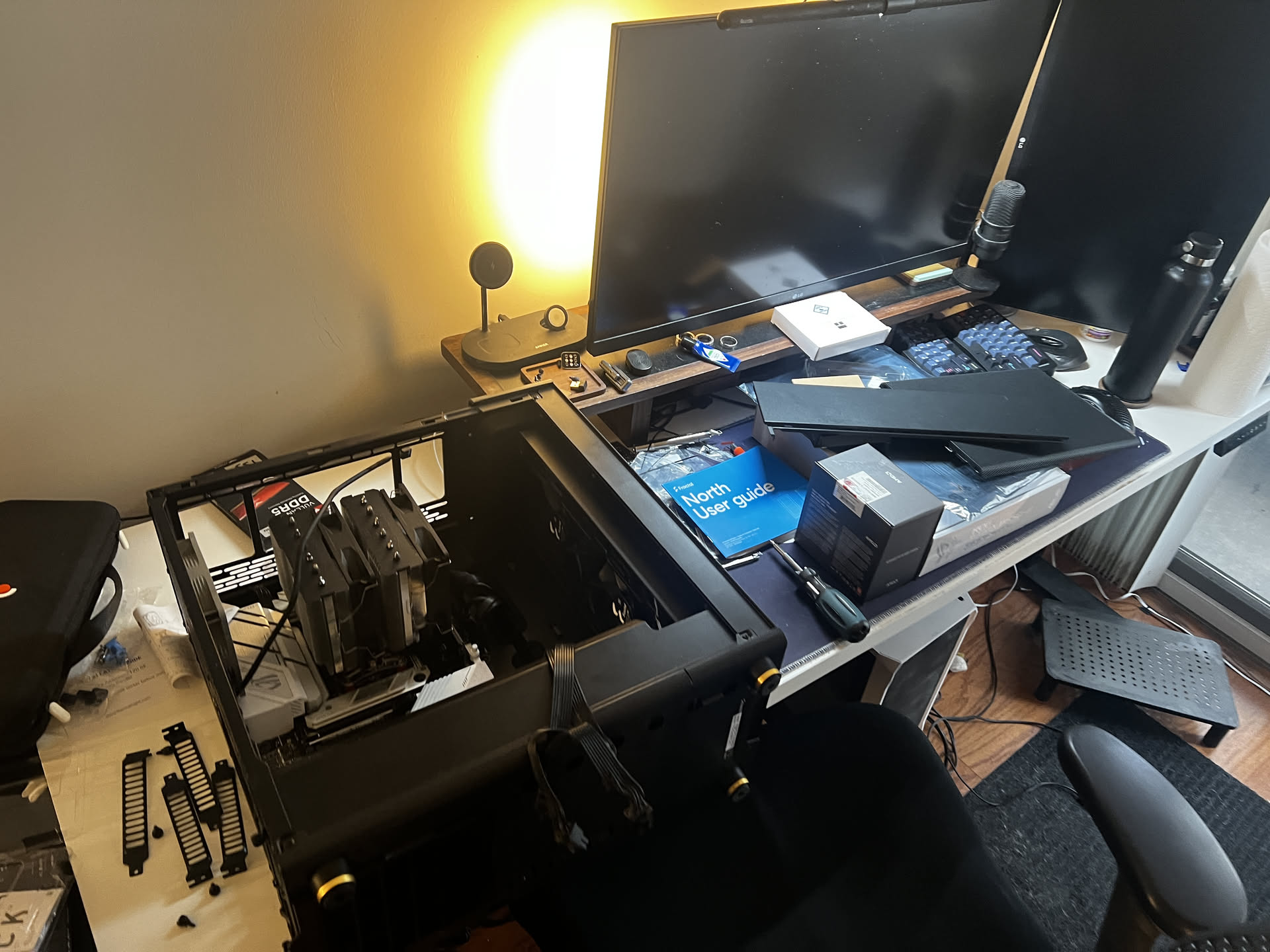
An example of multiple independent Linux machines for different purposes running on the same hardware.
Proxmox
Proxmox is a hypervisor, which is basically a virtual machine manager that sits right above the Linux kernel. It pools all available compute resources, like CPU cores and RAM, and assigns them to virtual machines in segments. What this means in practice is the 8 cores and 32 GB of DDR4 RAM that I have in my server doesn’t have to be pooled into a single Linux operating system. I can slice up my resources so that my Arrstack has 4 GB of RAM and 2 cores while my local LLM setup gets 20 GB RAM and 6 cores, both of which are operating simultaneously and segmenting the underlying hardware.
I thought this was insanely cool. I could segment my services and handle them all independently, so if one service had a vulnerability or went down the others would be completely unaffected given they’re running on distinct machines. I set up a Minecraft server as a networking test and to understand server-side operations, and I could just have it running whenever needed before spinning it down to use that compute for a different VM.
However, there was still the question of ensuring backups and data persistence. If I decided to trash a VM and start something else, I’d still want my underlying data available and ready to be picked up by other applications. And, lo and behold, Proxmox has a solution for that, in the form of ZFS pools.
I’d set up two hard drives in RAID 1, aka mirroring, where you set up hard drives in pairs so that anything that’s written to one is copied to the other for redundancy, and added them as a “pool” of storage to Proxmox.
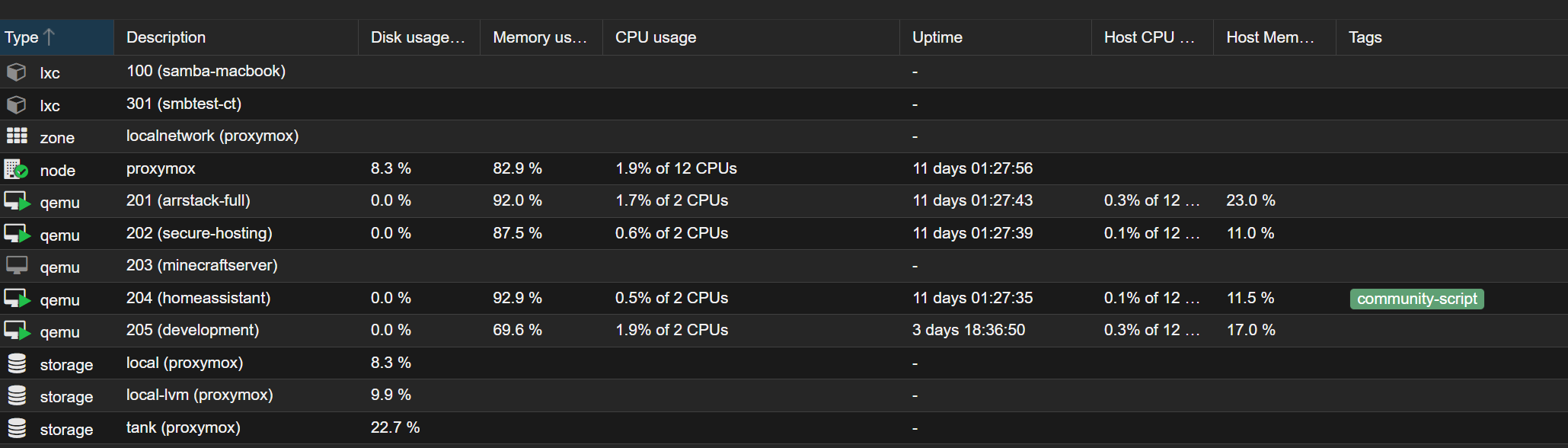
The Proxmox disk view, which shows all the storage I’ve got available in my Proxmox environment and what it’s being used for.
This pool can then be added as a folder into each VM, allowing them to write into the hard drive pool while the main operating system is hosted on the smaller SSD. It’s conceptually like adding a network folder to your PC so it can write to external storage. When structured properly, it means I can migrate applications or push updates without worrying about what’ll happen to the underlying data. I used this frequently when getting started with self hosting a document manager, paperless-ngx, where I’d set up the file structure and ingestion in such a way that it would be compatible across multiple applications so I could deploy and try them out rapidly.
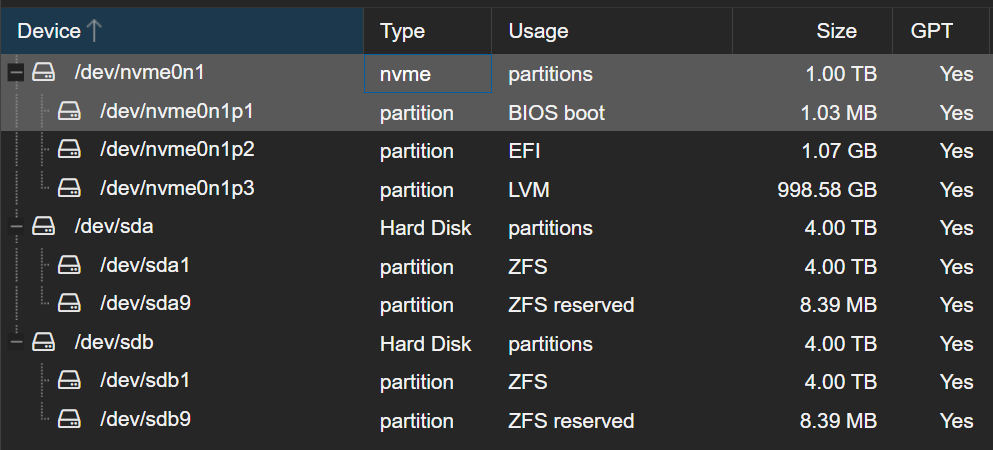
An overview of the different storage volumes and formats on my server.
I also got Home Assistant set up, which is an open-source smart home hub that works like Google Home. Instead of pinging some remote server back and forth every time I have to switch off a light five meters from me, I can just have all my smart devices ping into my home server directly, ensuring that all my data and logs don’t exit my home network.
The cool thing about Home Assistant is that it can pick up devices with different connection specifications, like Matter, Wifi, and my personal favourite Zigbee. Zigbee is a cheap and open smart home protocol that works directly with Home Assistant and has a bunch of cool devices that let ordinary items get smarter. For example, I’ve got a smart plug that’s connected to my humidifer. When the temperature and humidity sensor in my room pings below a certain humidity level, the smart plug switches on and my humidifer switches on along with it. I’ve even got a smart plug and switch bot that turn on my coffee machine when I get out of my room in the morning, since I’ve got door sensors on my front and bedroom door.
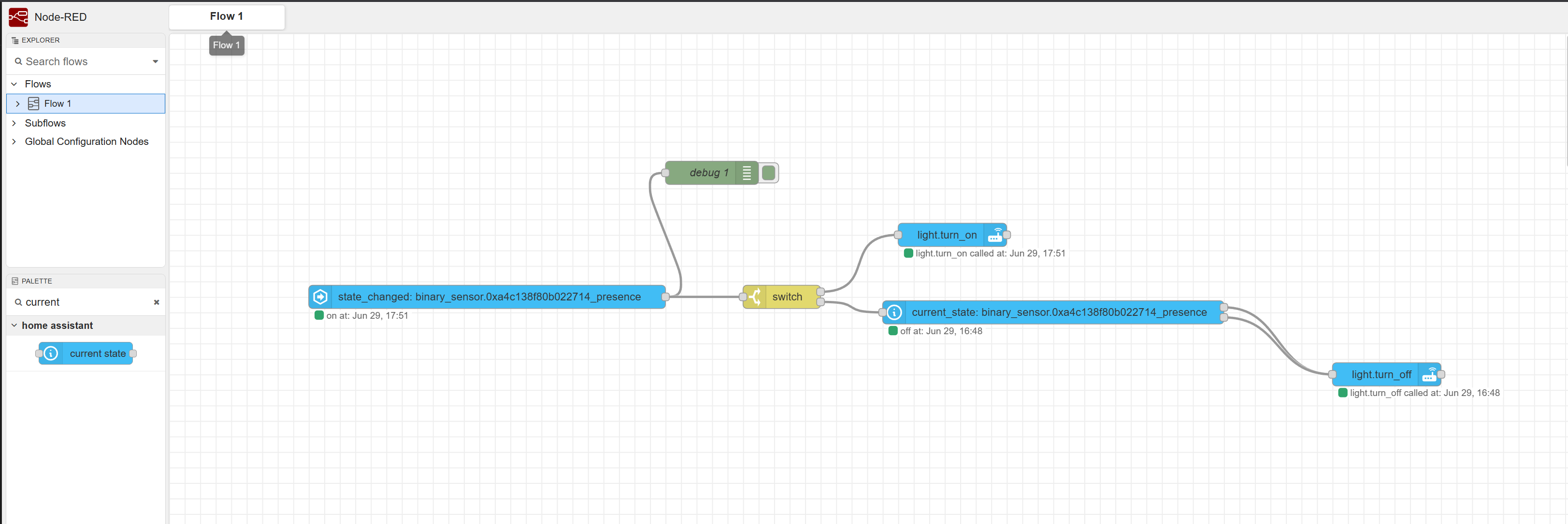
A device orchestration flow for proximity-activated lights in Home Assistant.
And all of this is only scratching the surface. Most of this was so I could learn the basics of Linux, VM deployment and management, Docker, and introductory networking. This is what I was able to wrangle together on reasonably short notice, but there’s so much more I could be doing. I can set up multiple machines as different Proxmox nodes and have something separate for regular backups. I’ve started deploying VMs solely for penetration testing and cybersecurity development, including one Linux distribution that’s built for you to hack into. I can set up Wireshark and a Pihole to have ingress-level ad-blocking for all requests coming out of my home network. The sky’s the limit and I’m very excited to keep learning.
What’s on my Server?
- Immich
- paperless-ngx
- ActualBudget for automatic budget ingestion, classification, and dashboards
- Jellyfin + Arrstack - torrenting for local movie hosting and streaming
- Tailscale
- Ollama, LM Studio, OpenWebUI, and experiments with Claude Code and local LLM tooling
- Home Assistant